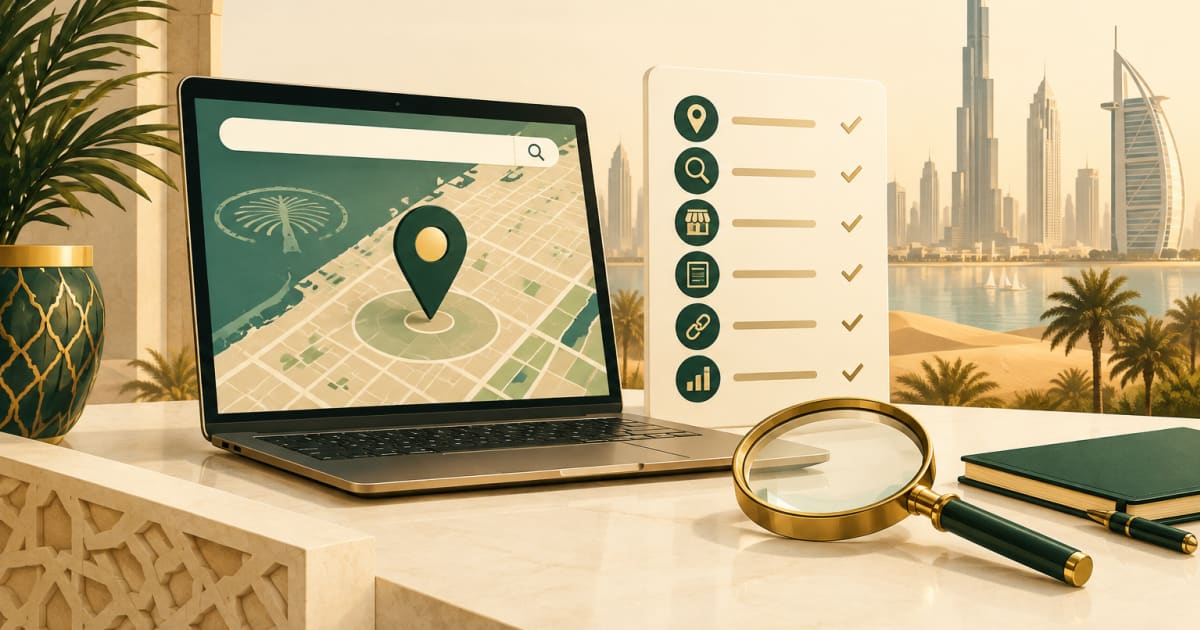

A Google My Business Dubai listing (now called Google Business Profile) is the free map pack shown for searches like "dentist near me" - it needs a verified, complete profile with the right primary category, matching trade licence details, and a steady flow of reviews to rank and to keep from being suspended.
In this article
- What does Google Business Profile actually do for you?
- Step 1: How do you find or create the profile?
- Step 2: How do you verify a profile in the UAE?
- Step 3: Complete every field, in the right way
- Step 4: Photos and videos that convert
- Step 5: How do you get reviews that build ranking and trust?
- Step 6: Posts, updates, Q&A and messaging
- Step 7: How do you rank in the map pack?
- Step 8: How do you avoid a suspension?
- Step 9: Read the performance data
- Multi-branch and franchise notes
- A monthly maintenance checklist
- Complete, verified profiles rank in the map pack - visible movement typically appears within one to three months for less competitive categories.
- Keyword-stuffed business names are the number one reason for suspension in the UAE; use the exact name on your trade licence.
- Ask for reviews at the moment of satisfaction via WhatsApp and a QR code; never buy reviews or offer discounts for them.
- Google ranks on relevance, distance and prominence - reviews, photos and a matching website are the levers you control.
- A monthly maintenance routine (replying to reviews, adding photos, posting updates) takes about an hour and keeps the profile healthy.
This guide covers everything a UAE business needs to set up the profile properly, keep it out of trouble, collect reviews the right way, and rank in the map pack - with the local details that generic guides skip: Arabic and English, trade licence matching, free-zone addresses, Friday hours and Ramadan timings.
What does Google Business Profile actually do for you?
Your profile is the source of truth Google uses for:
- The map pack in search results (the three listings with ratings)
- Your pin and panel in Google Maps
- The knowledge panel when someone searches your name
- Location assets in your Google Ads
- The "Call", "Directions", "Website" and "Message" buttons customers use
It is free, and it is where most of your local SEO ranking power lives. The local SEO guide explains how it fits with your website; this article goes deep on the profile itself.
Step 1: How do you find or create the profile?
Search your business name on Google Maps. Three outcomes:
- A profile exists and you own it. Go to Step 2.
- A profile exists but you do not manage it. Click "Own this business?" or "Claim this business" and follow the verification. If someone else (an ex-employee, a former agency) owns it, use Google's ownership request process; it usually emails the current owner and, after a waiting period, lets you claim it.
- No profile. Create one from Google Maps or business.google.com. Use the exact name on your trade licence and signage.
If you have multiple branches, each branch gets its own profile with its own address and phone. Do not create one profile for "Dubai" with a PO Box.
Step 2: How do you verify a profile in the UAE?
Verification proves to Google that the business exists at that location. The method Google offers depends on the category and the account history; commonly it asks for a video walkthrough in which you show the outside signage, the inside, equipment or stock, and proof that you have authority (a licence on the wall, opening the till, unlocking the door). Phone, email and postcard verification appear in some cases.
Prepare before you start:
- Trade licence with the exact business name
- Signage that matches it, visible from outside
- A phone with a steady hand for the walkthrough
- The address written as it appears on your licence and on the map pin
Free zone and business centre addresses can be verified, but a shared "flexi-desk" with no signage is often rejected for storefront categories. Service-area businesses (cleaning, maintenance, mobile services) can hide the address and list the areas they serve instead.
Check the current verification options in your dashboard; Google changes them regularly.
Step 3: Complete every field, in the right way
Google rewards complete profiles, and each field is a ranking or conversion input.
Business name. Exactly as on the licence and the sign. No keywords, no area names, no "LLC" if it is not on the sign. "Al Noor Dental Clinic", not "Al Noor Dental Clinic - Best Dentist Dubai Marina". Keyword-stuffed names are the number one reason for suspension in the UAE.
Categories. One primary category that matches what you mainly do and how people search - "Dentist" versus "Dental clinic", "Auto repair shop" versus "Car detailing service". Then up to nine secondary categories for other services. Look at what the top-ranking competitors use; it is visible on their profile.
Address and map pin. Full address in the format Google expects for the UAE: building, street, area, city. Drag the pin to the actual entrance. For malls and towers, add the floor or unit in the address line 2.
Service areas. For businesses that travel to customers, list the emirates and areas you genuinely serve. Do not list all seven emirates if you only work in Dubai and Sharjah.
Hours. Include Friday and weekend hours precisely (many UAE businesses open later on Friday), and use Google's special hours for public holidays, Eid and Ramadan timings. Nothing loses a customer faster than "Open" on the listing and a closed door.
Phone. A number that is answered, with +971 formatting. This should be the same number on your website and social profiles. If you route WhatsApp through the same number, even better.
Website. Link to the page most relevant to the profile's category - the home page for a single-location business, the branch page for a multi-branch one.
Description. Up to 750 characters, written for a human. Say what you do, who for, where, and what makes you the right choice. Write the first two sentences in the language most of your customers use; Google may show either language depending on the searcher.
Services and products. List each service with a short description and, where sensible, a price or "from" price. In the UAE, listing prices increases calls from people who would otherwise fear the cost.
Attributes. Tick what applies: women-owned, wheelchair access, on-site parking, accepts cards, appointment required, and so on.
Opening date. Adds credibility for established businesses.
Step 4: Photos and videos that convert
Profiles with plenty of real photos get more clicks and more direction requests. Upload:
- Exterior with the signage (helps verification and helps customers find you)
- Interior, waiting area, treatment rooms, workshop bays
- The team in uniform
- Your work: before and after, dishes, finished projects
- Your logo as the profile image and a strong cover image
Add a few new photos each month; a profile that keeps growing looks active to Google and to customers. Skip stock photos entirely. If you do not have good images, a half-day photography session pays for itself in the map pack for years.
Step 5: How do you get reviews that build ranking and trust?
Review count, rating and recency are among the strongest signals for the map pack, and the first thing a customer reads.
Getting reviews the right way in the UAE:
- Get your review link from the profile dashboard ("Ask for reviews").
- Save it as a WhatsApp quick reply and send it at the moment of satisfaction: job done, meal finished, results delivered.
- Print a QR code for the counter, the invoice and the vehicle.
- Ask in the customer's language; a short Arabic message for Arabic-speaking customers.
- Target a steady flow - a few per week - rather than bursts.
Replying: Reply to every review within a few days, in the language it was written in. Thank the positive ones briefly and mention the service ("Glad the AC servicing in JVC went well"). For negative ones, stay calm, apologise where fair, offer to fix it offline, and never argue publicly. Prospective customers judge you by how you handle the 2-star review.
What not to do: No bought reviews, no review-for-discount offers, no staff reviews, no review kiosks that post from one device. Google's filters catch bursts from the same network and can remove all reviews or suspend the profile. Also do not ask customers to mention keywords in a scripted way; natural mentions of the service and area are helpful, scripted ones look fake.
Step 6: Posts, updates, Q&A and messaging
Posts. Short updates with a photo: an offer, a new service, a seasonal message, a finished project. A post every week or two keeps the profile active. Posts expire, so keep a rhythm. Bilingual posts (Arabic first, then English, or two separate posts) serve both audiences.
Q&A. Anyone can ask a question on your profile, and anyone can answer, including competitors. Seed it yourself with the five questions you hear most and answer them, then check monthly for new ones.
Messaging. If you enable chat, respond within hours; Google shows response times. If you cannot staff it, leave it off and direct people to WhatsApp via the website.
Booking links. For clinics, salons and restaurants, connect a booking system or link to your WhatsApp booking flow.
Step 7: How do you rank in the map pack?
Google's own description of local ranking has three ingredients: relevance, distance and prominence. In practice for the UAE:
| Factor | What you can do |
|---|---|
| Relevance | Right primary category, complete services, description and posts that mention what you do, website content that matches |
| Distance | Nothing about the searcher's location, but a correct pin and, for multi-branch businesses, a profile per branch |
| Prominence | Reviews (count, rating, recency, replies), photos, citations with consistent details, links and mentions from UAE sites, a website that ranks organically |
The most under-used lever is the website: Google reads the page you link from the profile and uses it to understand what you do. A service page in Arabic and English with the same name, address and phone as the profile, plus LocalBusiness schema, strengthens the listing. The Arabic SEO guide explains the language side.
Consistent details everywhere - profile, website, Instagram, directories - are the other quiet factor. One old phone number on a directory can hold a listing back.
Step 8: How do you avoid a suspension?
Suspensions are common in the UAE, partly because of aggressive practices by some agencies. Typical triggers:
- Keywords or locations added to the business name
- A virtual office or unmarked flexi-desk address for a storefront category
- Multiple profiles for the same business at the same address
- Sudden bursts of reviews
- Editing the name, address or category frequently
- Category that does not match the licence activity
If suspended, fix the issue first, then submit the reinstatement form with your trade licence, photos of signage and utility or tenancy proof. Reinstatement can take days to weeks. Do not create a new profile in the meantime; that makes it worse.
Step 9: Read the performance data
The profile's Performance tab shows searches that surfaced your listing (split by branded and non-branded queries), views on Search and Maps, and actions: calls, direction requests, website clicks, messages, bookings. Watch monthly:
- Non-branded searches rising means your category relevance is improving
- Direction requests and calls are your real leads from the map
- The queries list shows what people typed - use it for your service list and website pages
Add these numbers to the lead sheet described in the measurement framework so the profile is judged, like any other channel, by customers rather than views.
Multi-branch and franchise notes
- One profile per physical location, each verified separately
- Same name format across branches, with the area in the address not the name
- Branch-specific hours, phone and photos
- A branch page on the website for each, linked from the corresponding profile
- Use the Business Profile Manager (or the API for large groups) to manage them together
A monthly maintenance checklist
- [ ] Reply to all new reviews
- [ ] Add 3-5 new photos
- [ ] Publish 2-4 posts (offers, work, seasonal)
- [ ] Check and answer new Q&A
- [ ] Update special hours for upcoming holidays (Eid, National Day, Ramadan)
- [ ] Verify name, address, phone still match website and socials
- [ ] Note calls, directions and non-branded searches in the lead sheet
An hour a month keeps the profile healthy. If you would rather delegate that hour, Silk Road manages profiles as part of its SEO and digital marketing work, including Arabic and English replies and monthly reporting; see the packages or get in touch.
Frequently asked questions
Comments
- #google-business-profile
- #google-maps
- #reviews
- #local-seo
- #uae
- #dubai
- #ملف-النشاط-التجاري
- #خرائط-جوجل
- #التقييمات
- #سيو-محلي
- #الإمارات
- #دبي